 Skip to content

Giving a stranger access to your trading account sounds like a recipe for disaster. You worry about unauthorized trades, blown accounts, or stolen funds.
These fears are valid, but they often stem from a misunderstanding of how MetaTrader permissions work. There is a way to share your success—or verify someone else’s—without handing over the keys to the vault.
The solution is the Investor Password.
It allows for complete transparency without compromising security. Whether you are an investor looking to copy trades or a trader verifying a track record, understanding this tool is essential.
The Definitive Answer: Master vs. Investor Password
No, you cannot execute trades with an investor password.
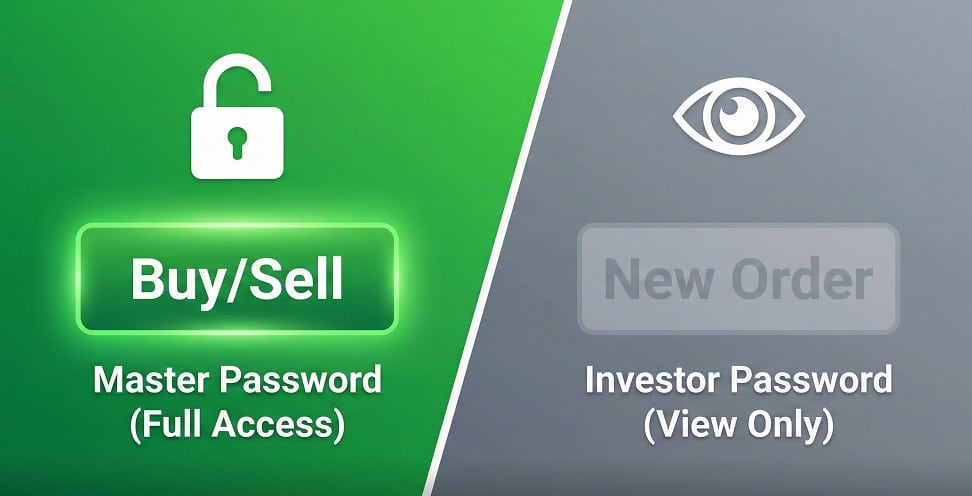
The investor password strictly grants read-only access to a MetaTrader 4 (MT4) or MetaTrader 5 (MT5) account. When you log in with these credentials, the trading terminal disconnects all execution capabilities. You cannot open, close, modify, or delete orders.
Think of it as a security clearance level. The Master Password is the administrator; they have full control. The Investor Password is the auditor; they can only watch.
Comparison: What Each Password Allows
| Feature | Master Password | Investor Password |
| Open New Trades | Yes | No |
| Close Active Trades | Yes | No |
| Modify Stop Loss/Take Profit | Yes | No |
| View Account History | Yes | Yes |
| View Live Open Positions | Yes | Yes |
| Withdraw Funds | No (Requires Portal Access) | No |
What Exactly Can You Do with an Investor Password?
If you can’t trade, why log in?
The investor password turns the terminal into a real-time monitoring station. It is the ultimate tool for due diligence. When you log in with read-only access, you can:
- View Open Positions: See exactly what trades are running right now.
- Check Entry Points: Verify where the trader entered the market.
- Monitor Equity & Balance: Watch the account grow (or shrink) in real-time.
- Analyze History: Scroll through past performance to check for consistency.
This access is crucial for verifying claims. Screenshots can be faked; live server data cannot.
Why Professional Traders Share Investor Passwords
In the forex industry, trust is the currency that matters most.
Many “gurus” hide their losses. Legitimate professionals, however, have nothing to hide. Traders like Sarowar Jahan share investor passwords (or Myfxbook links authenticated by them) to prove their results are genuine.
By providing read-only access, a professional demonstrates:
- Transparency: They are willing to let you see the good and the bad trades.
- Confidence: They believe in their strategy’s long-term performance.
- Integrity: They are not manipulating data to sell a service.
If you visit sarowarjahan.com, you will see that verified performance is a core pillar of the services offered. Whether it’s fund management or signal copying, the ability to audit the trader’s history is what separates professional services from scams.
The Role of Investor Passwords in Copy Trading
There is often confusion here. If an investor password can’t trade, how does copy trading work?
It depends on which side of the transaction you are on:
- The Master (Source): The trader (like Sarowar Jahan) provides the Investor Password to the copy trading software (like Signal Start or a PAMM system). The software reads the trades from the Master account.
- The Slave (Receiver): You, the client, provide your Master Password to the software. The software uses your permission to execute the copied trades onto your account.
The software acts as the bridge. It reads the instructions from the pro using the safe password, and executes them for you using your trading password.
Safety First: Can Someone Steal My Funds?
This is the most common anxiety for new investors.
No, it is impossible to withdraw funds using an investor password.
Withdrawals are never processed through the MetaTrader terminal itself. To withdraw money, you must log in to the Broker’s Client Portal (the website where you uploaded your ID).
- Platform Access (MT4/MT5): Controls trading activity.
- Portal Access (Website): Controls banking and withdrawals.
Even if a scammer had your investor password, they could only stare at your balance. They could not move a single cent. Furthermore, reputable brokers usually require withdrawals to go back to the original funding source (your bank account), adding another layer of safety.
How to Change or Recover Your Investor Password
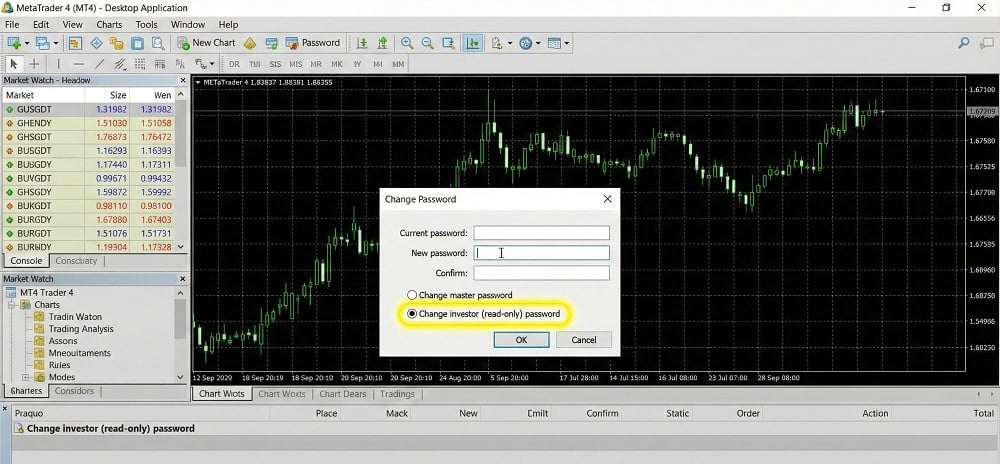
If you want to start sharing your results, or if you simply want to reset your security, you can do this directly inside MT4 or MT5.
- Open your MetaTrader terminal.
- Go to Tools > Options (or press
Ctrl+O). - Click on the Server tab.
- Click the Change button next to your password.
- Enter your Current Master Password (needed for authorization).
- Select “Change investor (read-only) password”.
- Type your new password and click OK.
Frequently Asked Questions (FAQ)
Can you place trades with an investor password?
No, you cannot execute trades. The investor password grants strictly read-only access. It allows you to view open positions, history, and charts, but disables all order execution functions like buying, selling, or closing trades.
Why do traders share their investor password?
To prove transparency and verify performance. By sharing read-only access, professionals (like those at https://sarowarjahan.com) allow clients to audit live trading results without risking the security of the account or strategy.
Can someone steal my money with my investor password?
No, withdrawals are impossible via MT4/MT5. Withdrawals require access to the broker’s secure client portal, which uses a different login. The investor password only allows viewing of the trading terminal data.
How do I find my investor password on MT4?
You can set it in the Server Options. Navigate to Tools > Options > Server, click Change, enter your master password, select “Change investor (read-only) password,” and create a new one.
Can I use an investor password for copy trading?
Yes, but only for the source account. Trade copiers use the investor password to read trades from the master account. However, the receiver account needs a master password to execute those trades.
