

Forex trading is plagued by unverified claims. You see screenshots of massive profits, but when you ask for proof, the excuses start.
If you are a trader, you need a way to prove your skills without risking your capital. If you are an investor, you need a safe way to audit a fund manager before handing over your money.
The solution is simple but often misunderstood: the Investor Password.
This guide explains exactly how to set up read-only access on the world’s most popular brokers—IC Markets, Exness, and RoboForex. so you can share results transparently or audit a potential manager safely.
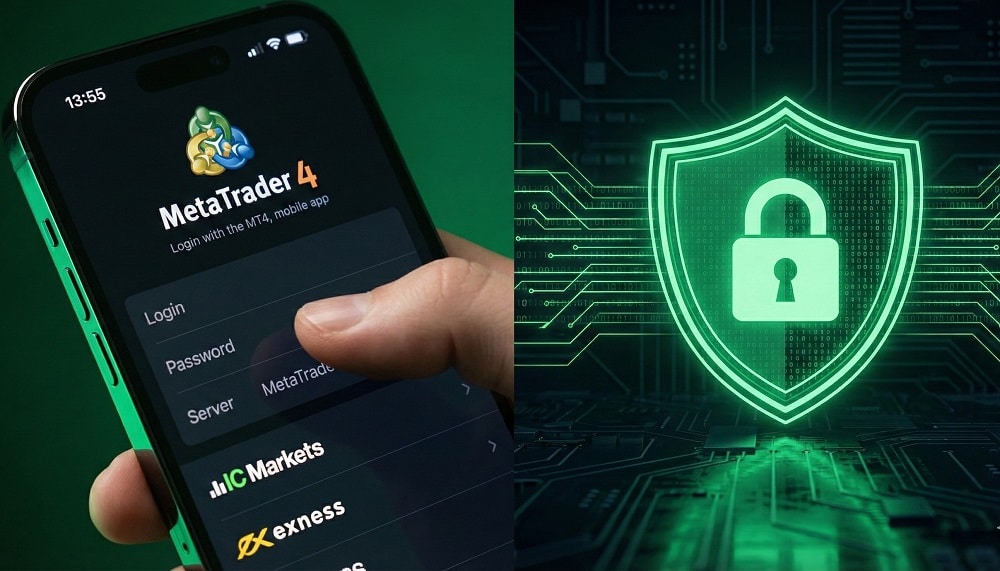
Master Password vs. Investor Password: What’s the Difference?
Before changing any settings, you must understand the distinction. Mixing these up is the fastest way to lose control of your account.
- Master Password: This is the key to the kingdom. It allows full trading privileges, including opening and closing orders, changing settings, and requesting withdrawals. Never share this unless you are the account owner.
- Investor Password: This provides “view-only” access. A person logging in with this password can see live charts, trade history, and open positions, but the “New Order” button is greyed out. They cannot touch your money.
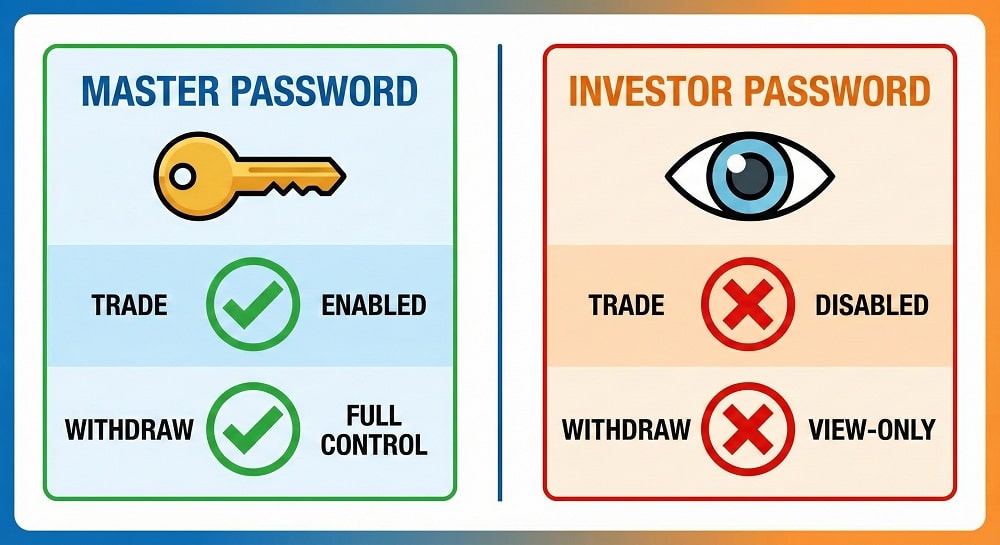
Quick Comparison: Access Rights
| Feature | Master Password | Investor Password |
| View Charts & History | ✅ Yes | ✅ Yes |
| Open/Close Trades | ✅ Yes | ❌ No |
| Modify Stop Loss/TP | ✅ Yes | ❌ No |
| Request Withdrawals | ✅ Yes | ❌ No |
| Link to Myfxbook | ✅ Yes | ✅ Yes |
The Universal Method: Setting Investor Password on MT4 & MT5 (Desktop)
Most brokers, including IC Markets and RoboForex, use the standard MetaTrader infrastructure. This method works for 90% of desktop terminals regardless of the broker.
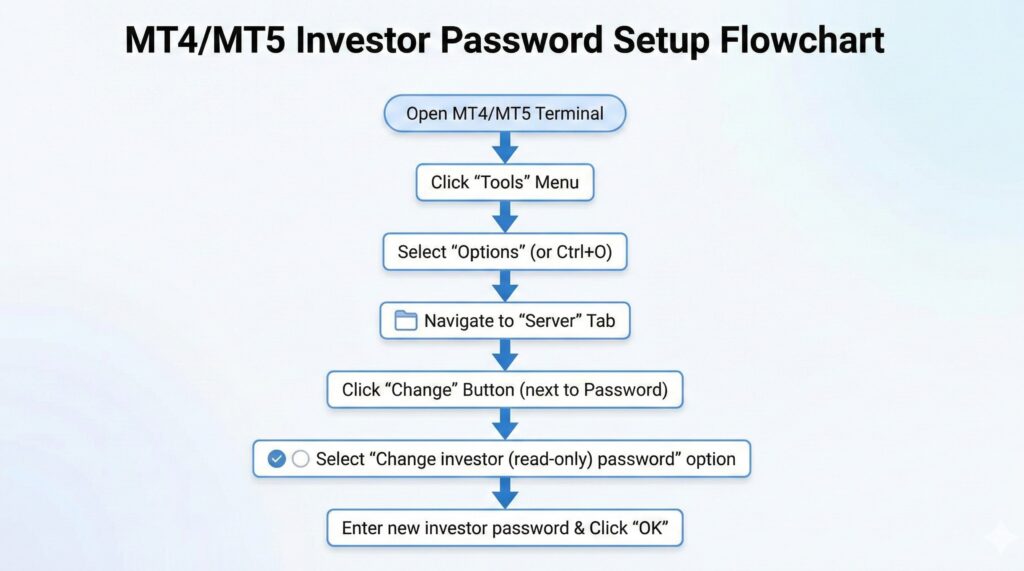
Follow these steps to generate a read-only key:
- Open your MT4 or MT5 terminal on your desktop.
- Click on Tools in the top menu and select Options (or press
Ctrl+O). - Navigate to the Server tab.
- Click the Change button next to the password field.
- Critical Step: In the new window, enter your current master password first.
- Select the radio button that says “Change investor (read-only) password”.
- Type your desired new investor password twice and click OK.
Your account is now ready for auditing. You can safely share your Login ID and this new Investor Password with anyone.
Broker-Specific Guides: IC Markets, Exness, and RoboForex
Sometimes you cannot access the desktop terminal, or you prefer using the broker’s web portal. Here is how to handle the setup for three major brokers.
1. How to Change Investor Password on IC Markets
If you are locked out of the desktop app, use the Secure Client Area.
- Log in to the IC Markets Client Area.
- Go to Accounts and find the specific trading account (MT4, MT5, or cTrader).
- Click the settings gear icon next to the account number.
- Select “Change Password”.
- Note: IC Markets often resets the Master password here. If you specifically need an Investor password reset without touching the master, it is best to use the “Universal Method” inside the MT4/cTrader platform described above.
2. Setting View-Only Access on Exness
Exness is unique because its “Personal Area” is very advanced. You rarely need the terminal for administrative tasks.
- Log into your Exness Personal Area.
- Find your active trading account in the dashboard.
- Click the three dots (menu) next to the “Trade” button.
- Select “Set Read-Only Access” or “Change Trading Password”.
- Exness clearly separates these options, ensuring you don’t accidentally reset the wrong one.
3. Managing Passwords on RoboForex
RoboForex users can manage security directly from the Members Area.
- Log in to the RoboForex Members Area.
- Navigate to My Accounts and click on your active account.
- Select “Password Management”.
- You will see options for both “Trading Password” (Master) and “Investor Password”.
- Enter a new password and confirm.
How to Change Investor Password on MT4/MT5 Mobile App
Many modern traders operate entirely from their phones. You can manage access rights directly from the Android or iOS app.
- Open the MetaTrader app.
- Go to Manage Accounts and log in.
- Tap the three dots (Android) or the Settings icon (iOS) next to your account.
- Select Change Password.
- Select “Change Investor Password”.
- You will need to verify your identity by entering the current Master Password before you can set the new view-only credential.
Why Top Fund Managers Use Investor Passwords (The Trust Factor)
In the fund management industry, trust is the only currency that matters. Anyone can claim they made 50% profit last month, but very few can prove it.
At Sarowar Jahan, transparency is central to my operations. I do not ask clients to trust blind claims.
I use investor passwords to link my trading accounts to third-party auditing sites like Myfxbook. This allows clients to see every trade, drawdown percentage, and profit factor in real-time.
By setting an investor password, you are telling the market: “I have nothing to hide.”
If you are looking for a fund manager who operates with this level of openness, I invite you to review my verified track records directly on https://www.sarowarjahan.com/.
Frequently Asked Questions (FAQ)
What is the difference between a master password and an investor password in Forex?
A Master Password grants full trading and withdrawal access, while an Investor Password allows view-only access.
The master password is for the account owner to execute trades. The investor password is strictly for auditors or investors to view performance without the risk of interference or theft.
How do I set an investor password on IC Markets MT4?
Open MT4, press Ctrl+O, go to the Server tab, click Change, and select “Change investor (read-only) password”.
You must know your current master password to authorize this change. This process is identical for most MetaTrader brokers.
Can someone trade with my Exness investor password?
No, they cannot trade or withdraw funds.
When logged in with an investor password, the “New Order” and “Close Order” functions are disabled. The user can only view live charts, account balance, and historical data.
Why do fund managers ask for an investor password?
They need it to audit your account or prove their own trading results.
For example, at Sarowar Jahan, I may provide investor access to prospective clients so they can verify my historical performance on live accounts before investing.
How to find my RoboForex investor password?
You cannot “find” it; you must generate a new one via the Members Area or MT4 platform.
For security reasons, passwords are not displayed in plain text. If you lose it, simply follow the steps in the “RoboForex” section above to create a new one.
Conclusion
Setting an investor password is a five-minute task that builds a lifetime of trust. Whether you are using IC Markets, Exness, or RoboForex, the process is your first line of defense against ambiguity.
Secure your account, verify your results, and trade with confidence.
Ready to see professional transparency in action?
Connect on Telegram Don’t miss out on critical market updates. Join my Telegram community for the latest news and trading signals delivered straight to your phone: https://t.me/mql5signals_Sarowar