
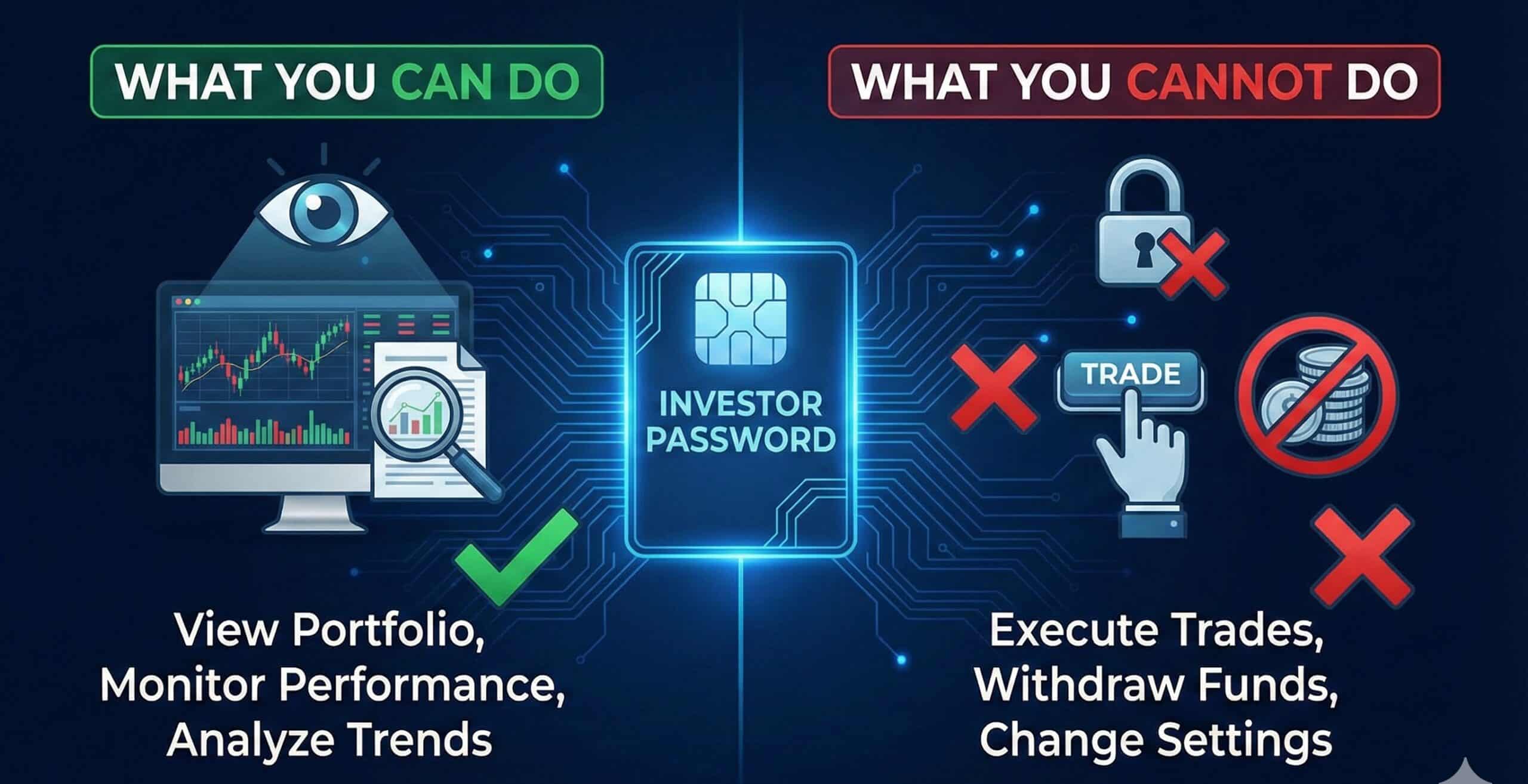

Imagine handing someone the keys to your house, but the key only opens the window blinds, it doesn’t unlock the door. That is exactly what an Investor Password does for your trading account.
In the world of Forex fund management, trust is the currency. You need to know if a trader’s performance is real, but you are rightly terrified of handing over access to your hard-earned capital.
This guide explains exactly how professional traders (like myself, Sarowar Jahan) use the Investor Password to provide 100% transparency without ever putting your funds at risk.
What is an Investor Password? (And Why It Exists)
An Investor Password is a specific, secondary login credential for MetaTrader 4 (MT4) and MetaTrader 5 (MT5) platforms. It grants read-only access to a trading account.
Unlike your Master Password, which gives you full administrative control, the Investor Password creates a “glass wall.” You can see everything happening inside the account—live trades, historical performance, and equity balance—but you cannot touch anything.
It exists for one primary reason: Verification. It allows traders to prove their results are genuine to investors or auditors without compromising account security.
What You CAN Do with an Investor Password (The Safe Zone)
When you log in with an Investor Password, you become an auditor. Here is what this access allows you to do:
1. Monitor Live Trades in Real-Time
You can watch the market move. You see exactly when a trade is opened, the entry price, the stop-loss, and the take-profit levels. If you are following my “Peace” or “Fee Amanillah” signals, this allows you to see the strategy in action as it happens, rather than waiting for a monthly report.
2. Verify Historical Performance
Scammers love Photoshop. They can edit screenshots to show millions in profit. With an Investor Password, you can scroll through the actual history tab of the account. You can verify every deposit, withdrawal, and trade execution directly from the server.
3. Connect to Third-Party Analysis Tools
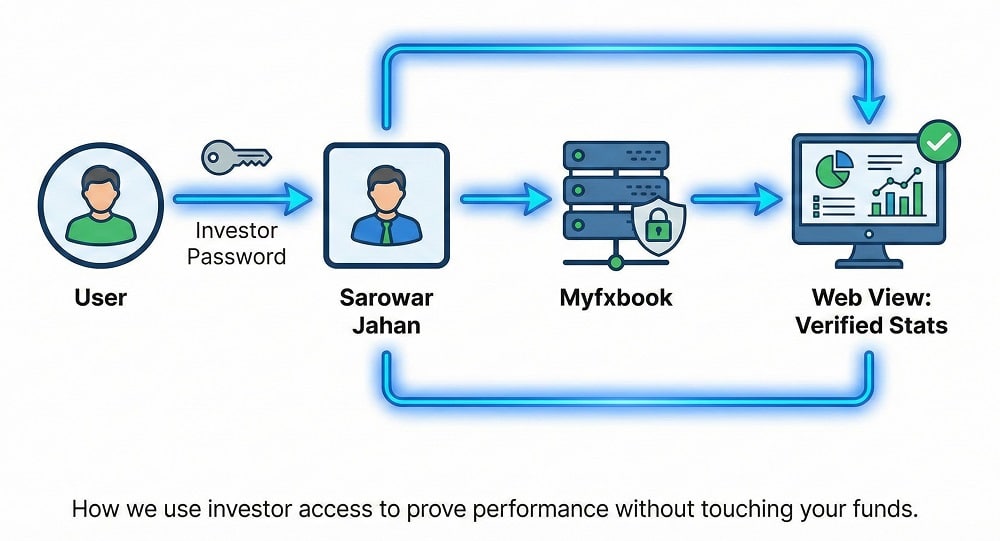
This is the gold standard of trust. You can use an Investor Password to link a trading account to third-party verification services like Myfxbook or FXBlue. These services pull data directly from the broker’s server to create verified, unforgeable performance charts.
What You CANNOT Do (The Safety Net)
This is the most critical section for your peace of mind. If you share your Investor Password (or if a fund manager gives you theirs), the following actions are technically impossible:
- You Cannot Withdraw Funds: The broker’s client portal (where withdrawals are processed) is separate from MT4/MT5. The Investor Password has absolutely no access to banking or withdrawal functions.
- You Cannot Execute Trades: The “New Order” button will be greyed out or disabled. You cannot buy or sell.
- You Cannot Modify Active Orders: You cannot move a Stop Loss, change a Take Profit, or close a losing trade.
- You Cannot Change Account Settings: You cannot change the leverage, the Master Password, or the account name.

Master Password vs. Investor Password: The Critical Differences
Before sharing any credentials, ensure you are sending the correct one.
| Feature | Master Password | Investor Password |
| Trading Rights | Full (Open/Close/Modify) | None (Read-only) |
| View History | Yes | Yes |
| View Charts | Yes | Yes |
| Change Passwords | Yes (Can change both) | No |
| Primary Use | Trading & Administration | Auditing & Monitoring |
| Safe to Share? | NEVER | YES (For verification) |
Why Pro Traders (Like Sarowar Jahan) Share This Password
In an industry full of “screenshot traders,” the Investor Password is the ultimate filter.
I use Investor Passwords to link my accounts to Myfxbook. This allows my clients to see a verified, third-party audit of my 10+ years of trading results. It proves that the Drawdown, Gain, and Monthly percentages are real data points, not marketing fabrication.
If a fund manager refuses to share their Myfxbook link (verified via Investor Password) or claims it is “too risky,” they are likely hiding poor performance. Transparency is not optional; it is the foundation of a long-term partnership.
How to Generate or Change Your Investor Password on MT4/MT5
If you want to create an Investor Password for your own account to share with a manager or friend, follow these steps:
- Open your MT4 or MT5 terminal and press Ctrl+T to open the toolbox (if not open).
- Navigate to Tools > Options in the top menu.
- Click on the Server tab.
- Click the Change button next to the password field.
- Enter your current Master Password (to prove it’s you).
- Select “Change investor (read-only) password”.
- Type your new safe password and click OK.
Frequently Asked Questions (FAQ)
Can someone withdraw money if they have my investor password?
No, it is impossible to withdraw money using only an investor password. The investor password provides read-only access to the trading terminal (MT4/MT5). Withdrawals require access to the broker’s secure client portal (website), which uses entirely different login credentials and often Two-Factor Authentication (2FA).
What is the difference between a master password and an investor password?
The Master Password grants full administrative rights, whereas the Investor Password is strictly for monitoring. The Master Password allows you to open, close, and modify trades. The Investor Password only allows you to view open trades, history, and charts, effectively locking the “New Order” functions.
Is it safe to give my investor password to a fund manager?
Yes, it is generally safe for verification purposes. Sharing this password allows a fund manager or auditor to view your account history or monitor live trading without putting your capital at risk of theft or unauthorized trading. However, always double-check you are not sending the Master Password by mistake.
How do I find my investor password on MT4?
You cannot “find” an existing password, but you can reset it. Go to Tools > Options > Server > Change. You will need your Master Password to authorize the change. Once there, select “Change investor (read-only) password” to set a new one that you can share.
Why do signal providers ask for an investor password?
To authenticate and verify their trading results. Signal providers and verification services (like Myfxbook) require the investor password to log into the account, download the trading history, and verify that the performance metrics they display to the public are legitimate and not manipulated.
Ready to see what a professional track record looks like?
Transparency is my priority. You can view my verified performance on Myfxbook or contact me directly to discuss how we can manage your funds with the same level of openness and security.